

- Accessibility
- Empathy
- UX Design
Red Means Danger, Unless You Can’t See It
Red means danger, unless you can’t see it. How sci-fi interfaces reveal a real-world design flaw that affects 300 million people, and how to fix it.
Briefing · Accessibility
Many companies think accessibility does not affect them. Here is why that blind spot creates product and compliance risks and erodes trust.

“We don’t have disabled users.”
I have heard that sentence in different rooms, from different companies, wearing different suits. Sometimes it comes from legal. Sometimes product. Sometimes engineering.
It usually arrives with confidence, followed by the same supporting arguments: we know our users, our product is very niche, we have been working in this space for years, and our customers would tell us if this were a problem.
As if time in the market automatically means the organization has seen every human being who ever touched the product.
Recently, while working with a client on EAA and ADA compliance, that sentence came up again. The company was engineering-driven. Smart people. Practical people. The kind of team that responds to evidence, not opinions.
The initial reaction was familiar: accessibility sounded like a narrow compliance issue for a group of users they believed they did not have.
That is where the real problem started to show itself. Not because they were careless. Not because they lacked empathy. Because their product organization had built a picture of the user that was too clean, too average, and too imaginary.
I asked a simple question: how do you know you do not have disabled users?
No one had a good answer.
So we stayed in the room and looked at the evidence. Not as a lecture. As a mirror.
The Centers for Disease Control and Prevention reports that 27% of U.S. adults have some type of disability. That is not a niche segment. That is reality walking through the front door.
Then we narrowed the lens. Red-green color vision deficiency affects about 1 in 12 males and 1 in 200 females among people with Northern European ancestry. So when a product uses only red and green to communicate success, failure, risk, or status, it is not making a small design choice. It is deciding who gets to understand the message quickly, who has to slow down, and who may miss it completely.
You may not track users with low vision. You may not know who is colorblind. You may not know who has a motor limitation, a cognitive disability, hearing loss, chronic fatigue, dyslexia, anxiety, or a temporary injury.
You may not know who is using the product in bright sunlight, under stress, in a second language, on an old monitor, or while trying to finish a task before another meeting starts.
Absence from the dashboard is not absence from the product.
Once the “we do not have those users” argument started to wobble, I did something simple: I demoed their own app back to them.
That is always a strange moment. Nobody is seeing a new feature. Nobody is looking at a competitor. The product is familiar. The screens are familiar. The flows are familiar. They see it every day.
But this time, they were seeing it through a different lens.
I moved through the live product as different users might experience it: someone relying on keyboard navigation, someone struggling with low contrast, someone who cannot depend on color to understand status, and someone trying to decode internal abbreviations without years of company context.
The point was not to shame the team. It was to make the invisible visible.
After the walkthrough, I used a Miro board to freeze the exact friction points they had just watched unfold. The screenshots gave the room something concrete to inspect. A low-contrast label was not just a WCAG issue. It was a reading issue. A color-only status message was not just a compliance miss. It was a decision-making risk. An internal abbreviation was not just shorthand. It was a locked door for anyone outside the room where the abbreviation was born.
The room began to loosen. Not dramatically. No grand awakening. Just the early discomfort of a smart team realizing the product was carrying assumptions they had stopped seeing.
Their app was designed for engineers: people who live on the keyboard, move fast through shortcuts, and expect tools to keep up with their flow.
But the app itself was not designed to be used by keyboard alone.
That meant their most important users had to give up their main tool, the keyboard, and switch to a mouse or touchscreen to complete parts of the experience. Not because the task required it. Because the interface did.
That is not just an accessibility issue. That is a productivity tax placed directly on the people the product was supposedly built for.
If software built for speed forces power users to slow down, it damages the thing the product promised to protect: momentum. The user may not file a complaint. They may just stop trusting the tool.
The issue was no longer only whether a screen reader could interpret a page. It became an operational question: where does the product leak value?
The expensive problem is rarely one missing alt attribute or one low-contrast button. Those things matter, but they are symptoms.
The expensive problem is the operating model that lets those issues ship again and again.
For engineering-driven companies, this should sound familiar. Accessibility debt behaves like technical debt. It compounds inside components, templates, flows, and decisions. Then it shows up as delivery drag, compliance exposure, customer friction, and rework.
You can usually see the debt accumulating when:
That is not a design failure alone. It is a governance gap.
And governance gaps do not stay abstract. They result in longer QA cycles, post-release hotfixes, recurring component-level defects, vendor risk, unclear ownership, missed accessibility requirements, and remediation work that should have been handled upstream.
This is why accessibility cannot live as a late-stage audit. By then, the organization is no longer designing. It is negotiating with its own accumulated debt.
This is where the compliance context matters. The European Accessibility Act is no longer a future deadline. For covered products and services, the June 2025 milestone has passed, and enforcement risk is now part of the operating environment. ADA-related expectations in the U.S. add another layer of pressure, especially for organizations whose digital products and services reach public-facing audiences.
That pressure matters. But it does not create the product problem. It removes the option to keep ignoring it.
The better question is not, “Are we compliant?”
The better question is, “Can our team reliably identify and remove barriers before users are harmed by them?”
That question changes where accessibility lives. Not at the end of delivery, when legal is nervous and the release is already breathing down everyone’s neck. It belongs in the definition of done, in the design system, in QA, in content standards, in product acceptance criteria, and in the way teams make tradeoffs when the timeline gets tight.
At UX Design Lab, we see accessibility as a practical way to uncover how product decisions are really made. Who owns quality? Who defines done? Who speaks for the user when the timeline gets tight? Who notices when the interface depends on color, jargon, perfect vision, perfect cognition, perfect context, and perfect patience?
Users are not perfect. They are human. They are rushed. They are aging. They are distracted. They are different from the people in the room. Sometimes they are disabled. Sometimes they are temporarily limited. Sometimes they simply do not speak your internal language.
Designing for that reality is not charity. It is discipline.
Universal access does not happen because a company cares in theory. It happens because the system is built to catch exclusion before it ships.
That was the real outcome of the meeting. The original claim did not survive. “We don’t have disabled users” became something closer to, “We have not been looking carefully enough.”
That shift matters because accessibility is not about proving disabled users exist. They do. The real question is whether your organization is mature enough to design for reality before reality files a complaint, abandons the flow, or chooses someone else.
Look at your product again. Look at the colors, contrast, labels, forms, abbreviations, assumptions, error states, keyboard behavior, and governance behind all of it.
The accessibility problem you think you do not have may already be costing you. It is just doing it quietly.
And quiet problems have a way of becoming loud.
“The power of the Web is in its universality. Access by everyone regardless of disability is an essential aspect.” — Tim Berners-Lee
Listen · AI-narratedSummary
0:00Keep reading
Selected from the same topics.
Red means danger, unless you can’t see it. How sci-fi interfaces reveal a real-world design flaw that affects 300 million people, and how to fix it.

When I lost the use of my right hand, accessibility tools became my lifeline. Here’s how this experience reshaped my perspective on accessibility.
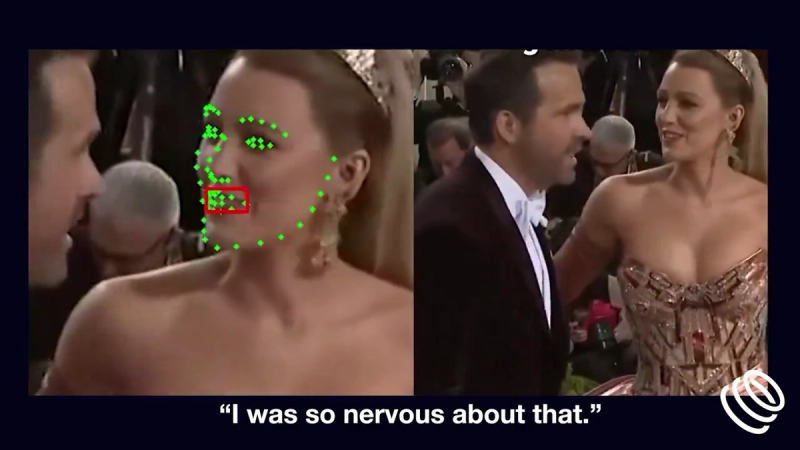
Innovative lip-reading technology like Symphonic Labs’ Read Their Lips is revolutionizing accessibility, bridging communication gaps for the hearing impaired.
Contact
Tell me what you are building, changing, or trying to make better. You do not need a polished brief.
Prefer email? info@uxdesignlab.com
I read every inquiry personally and usually reply within one business day.